
- Published at
I asked Gemini for a prototype… and Snipsco happened!
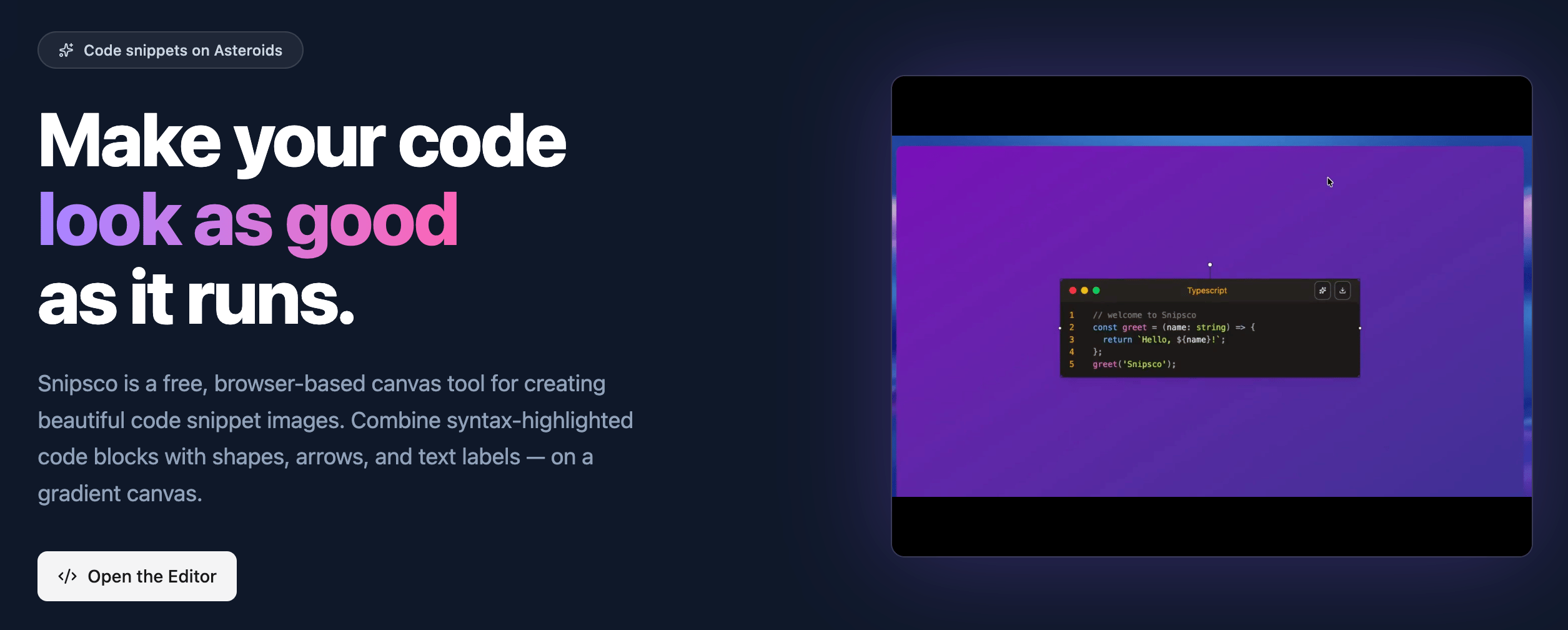
How asking an AI for a quick prototype led me to build Snipsco - a deeply personal, no-limits code canvas driven by passion (and lots of arrows). Here's how I went from sharing code on X, to building my own free tool for beautiful snippets, and what's next.
Table of Contents
It doesn’t matter, until it does - this is how I feel about this article and the Snipsco canvas tool.
You might know me, or not, but likely have seen some of my posts (code snippets on X, some of them have reached a hundred thousand impressions), so you might know I’m passionate about sharing code examples - about nice tricks, solutions, code that made me laugh, and sad.
I’ve been a front-end developer for quite a long time (not an indie hacker, or at least I didn’t use to be); back then (when I started), table layouts came before flexbox entered my toolbox, so I’m basically a senior developer trying to keep a foot in the fast-changing world of AI coding.
So for all these coding snippets I share on X, I used to use Snappify, which is the one I’m most familiar with, allowing me to add many elements, such as text, arrows, and so on!
The problem with Snappify is that it’s more focused on slides than just code snippets, and has limits on elements to use, ex, you can’t use many arrows on a code snippet if you are on the free tier, but paying for pro just for some more arrows doesn’t make any sense.
Then I tried the free classics - Ray.so and Carbon.now.sh.
They are beautiful, super fast, and I still respect them a lot. But they only give you one fixed code window. Nothing more. No arrows, no written explanations, no shapes around important parts, no moving blocks freely. They are perfect for simple shares, but not enough when you want to teach, explain, or make your code look really professional and clear.
So I was looking for something more than that!
There was no plan for me to build something like Snipsco. But one day, on a whim, I asked Gemini Pro on Google Studio to create a prototype using Angular, and surprisingly, it did a good job.
That was the time when my (it might be quite challenging) had broken! In a matter of a second, I understood I can make it, and make it so much better that everyone will want to use it, simply everyone!
From that moment, everything went fast. I took the Gemini prototype, migrated it to a real Angular application, rewrote many parts, fixed bugs, made the canvas smooth with snapping, added gradients, Prism highlighting, Prettier formatting, layers, rotate, resize - everything I needed.
Got the idea for the domain using Vercel domains (a very nice tool) and bought it on Cloudflare.
That’s how fast Snipsco was born.
I MUST mention here that AI made me code faster than EVER, I need to mention it again: FASTER THAN EVER! No joke!
Where Snipsco is right now
Right now, Snipsco is a working preview. You paste your code, it gets formatted, you open the sidebar and add shapes, arrows, text, and images. You drag, change themes, gradients, and colors. Export PNG or to the clipboard.
It is still free for everyone, and the workspace will remain free forever, with no limits. Use it to share beautiful code, teach others - this is the most important part for me.
But of course, this is just the beginning.
Where Snipsco is heading
Snipsco’s route is a long, long path, and of course, it includes AI!
First, Snapshots - like frames in history. With every important change, you can save as a snapshot. If you want to go back or compare versions, click.
Super useful when you experiment with different designs.
Then, maybe - perhaps - when you have multiple snapshots, you can animate between them and turn the whole thing into a short video. I want to use advanced AI video models for smooth transitions. It could be a real breakthrough for tutorials and presentations (or maybe not). What do you think?
I also want a much better workflow that never bothers you:
- The Settings window becomes floating - you can move it anywhere or close it.
- The left sidebar can be collapsed, leaving you with only the clear workspace and full focus.
Next, mobile support - not just responsive design. I want people to be able to create and edit on a phone or tablet as much as possible.
And then small Copilot actions: auto-detect the language you pasted, suggest quick improvements, small smart helps - nothing big yet.
And finally - the BIG COPILOT.
The big Copilot will be like a senior designer and teacher who lives inside your canvas. You can type or even speak:
- ‘Add arrows to explain this React hook.’
- ‘Turn this algorithm into a clear 5-step visual.’
- ‘Make it perfect for Twitter.’
- ‘Learn my company brand style from this screenshot and apply it.’
- ‘Take my blurry phone photo of code on paper and turn it into an editable canvas.’
It will give you suggestions as a preview. You always decide: apply, edit, or delete. You stay in full control.
All these AI features (and the video export) will be available only for Pro users. But the workspace itself stays completely free and unlimited.
I don’t want to put limits on free users. I remember how it felt when I hit limits in other tools. I don’t want anyone to feel that with Snipsco.
One thing worth mentioning is that the workflow data is stored in your browser (localStorage, soon to be IndexedDB), which limits you to using only one device (per project). Pro users will have the synchronisation and be able to see their work on any device.
Shipping a SaaS surface also means wrestling with email infrastructure; on Zipitly I wrote about SES production access and the providers we looked at instead.
My mind is full of ideas - big and small. The list grows faster than I can write it.
That’s the Snipsco small story - now I want to hear from you.
This is where Snipsco comes from, where it is right now, and where I see it going. I hope you like the direction.
If you read until here, thank you from the bottom of my heart!
Please try the preview, play with the canvas, break it, tell me what you love and what is missing. Your feedback will help me decide what to build next.
Follow me on X or leave a comment below.
Let’s teach others to code with beautiful code snippets!